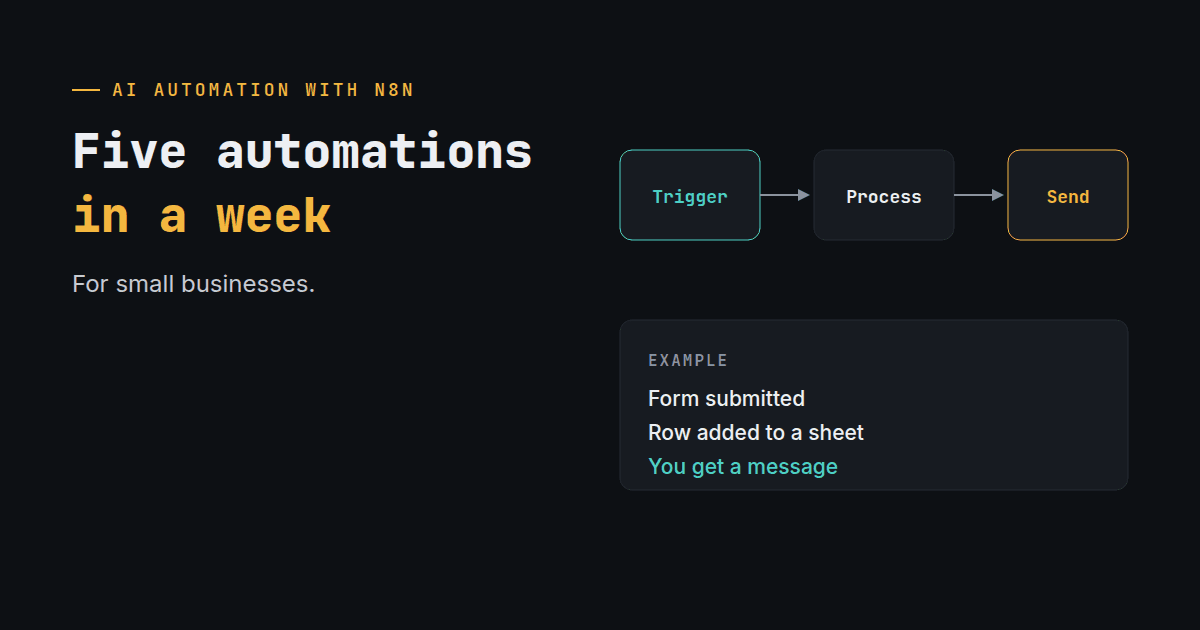
The best n8n automation examples for a small business are boring ones: they take a task someone repeats every day, and make a workflow do it. n8n is a workflow automation tool where you connect apps with visual steps, called nodes. You can run it yourself or use the hosted version.
This post gives you five automations that a small business can build in about a week, plus the one safety net every automation needs. You don't need to write code for most of them. Each is a pattern you can adapt to your own tools.
What can n8n automate for a small business?
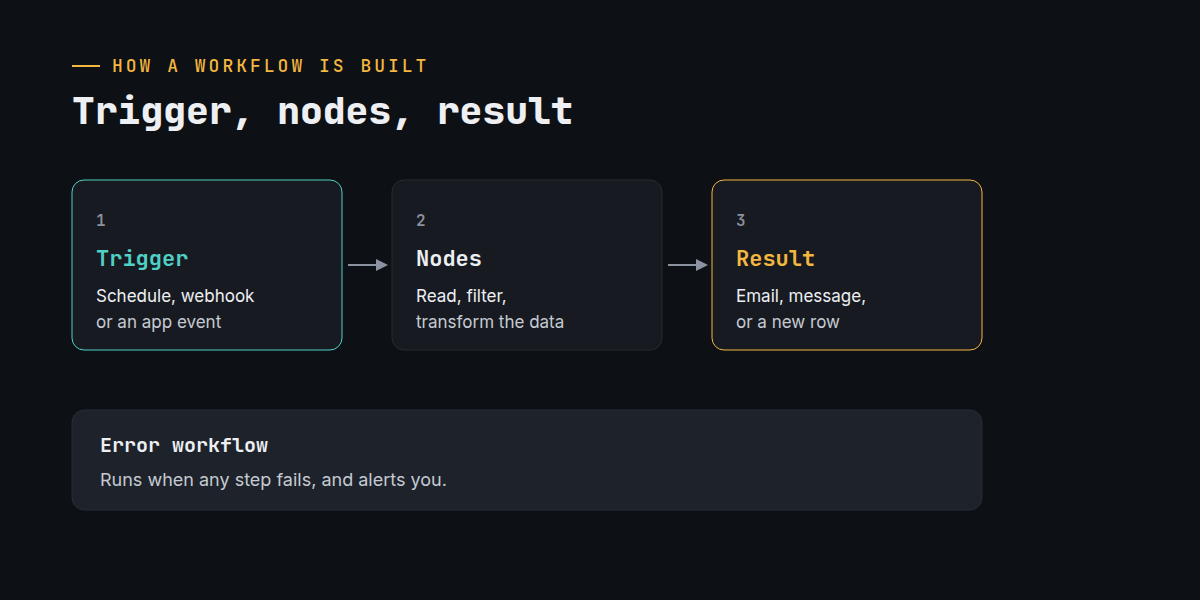
Almost anything with a clear trigger, a few steps and a result. In n8n, a workflow always starts with a trigger: a schedule, an incoming web request (a webhook), or an event in an app. Then the nodes do the work: read a spreadsheet, filter rows, send a message, create a record.
The Community edition is free to self-host, and n8n lists the exact feature differences between editions in its docs. If an app has no ready-made node, the HTTP Request node can call its API instead.
A good first automation has three traits: it runs often, the steps are always the same, and a mistake is cheap. Start there.
Five automations to build first
1. Send every website enquiry to one place
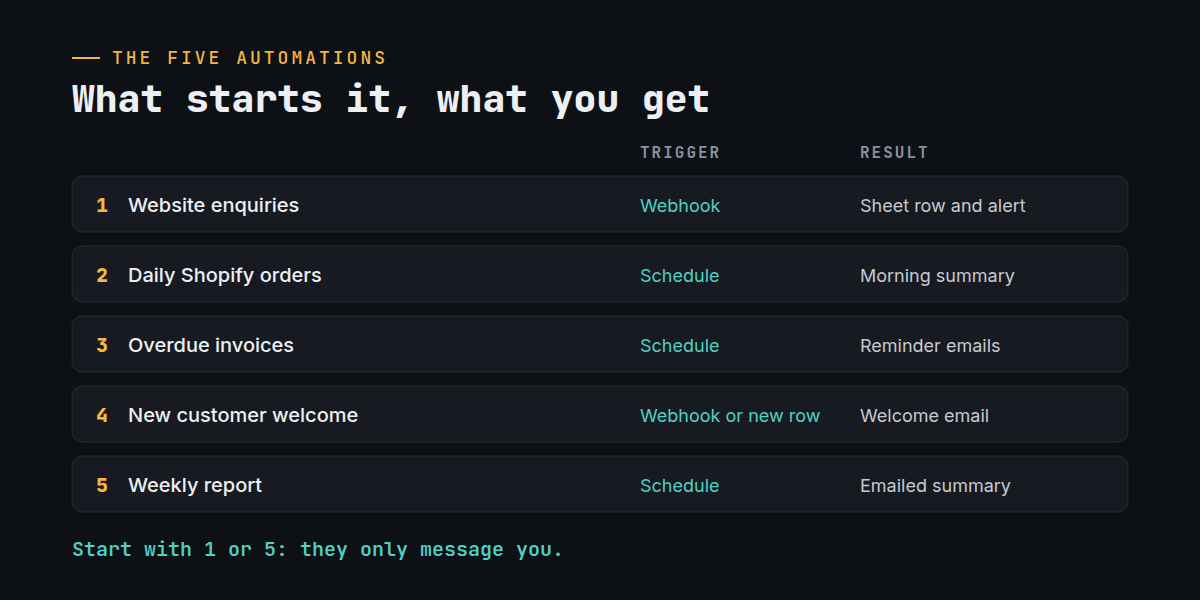
Trigger: a Webhook node that receives your contact form submission. Steps: add the details as a new row in a Google Sheet, then send yourself an email or chat message. Result: no enquiry sits unseen in a mailbox, and you get a running list of leads.
The Webhook node gives you two URLs, one for testing and one for production. Build with the test URL, then switch the form to the production URL once the workflow is published.
2. Get a daily summary of new Shopify orders
Trigger: a Schedule Trigger at the same time each morning. Steps: use the Shopify node to get orders, filter to the last day, then send a short summary by email or chat. Result: you start the day knowing what came in, without opening the admin.
The Shopify node supports getting, creating, updating and deleting orders and products, which is enough for reports like this.
3. Chase overdue invoices
Trigger: a Schedule Trigger once a day. Steps: read your invoice sheet with the Google Sheets node, keep only rows where the due date has passed and "paid" is empty, then send a polite reminder email to each contact. Result: you stop remembering who to chase.
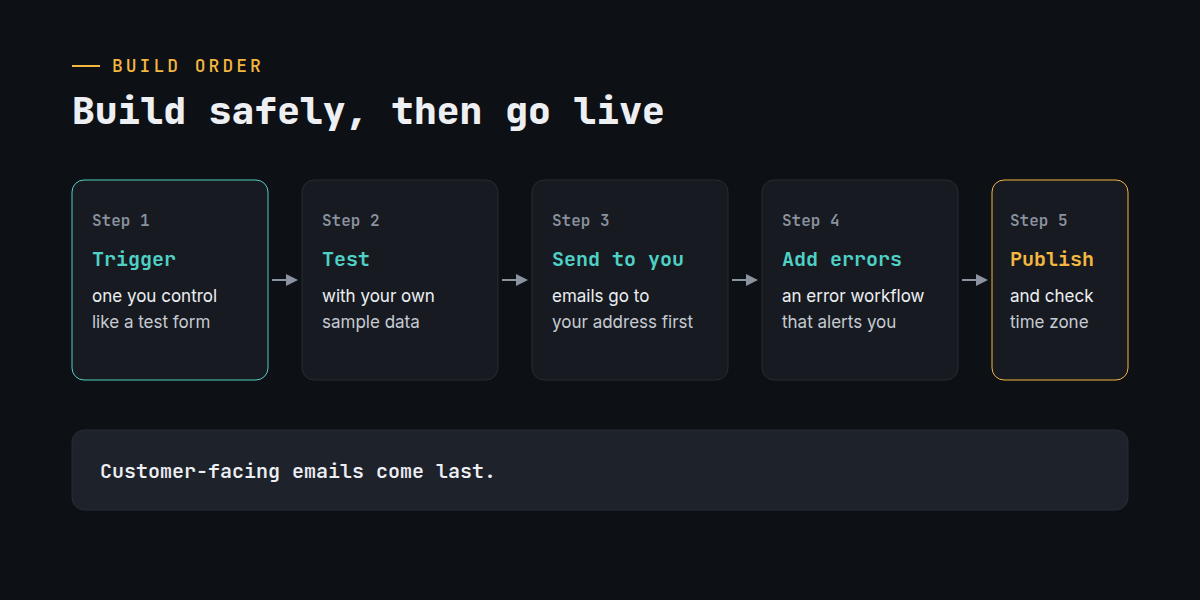
Start by sending the list to yourself for a week. Switch to emailing customers only when you trust the filter.
4. Send a welcome email when someone becomes a customer
Trigger: a webhook from your booking or checkout tool, or a new row in a sheet. Steps: send the customer a short welcome email with what happens next, and add them to your customer list. Result: every new customer gets the same clear first message, even when you are busy.
5. Build a weekly report from a spreadsheet
Trigger: a Schedule Trigger on Monday morning. Steps: read last week's rows, add up the totals you care about, and email a short summary to your team. Result: the report exists without anyone assembling it by hand.
Which one should you build first?
Pick the one where the manual task is the most annoying and the least risky if it goes wrong. For most businesses that is number 1 or number 5, because they only send messages to you. Automations that email customers (numbers 3 and 4) come second, after you have watched the workflow run on your own address.
The safety net: an error workflow
Automations fail quietly. A password expires, a sheet column is renamed, a service is down for an hour. Nobody notices until a customer asks.
n8n lets you set an error workflow for each workflow. It runs when an execution fails. It starts with the Error Trigger node, and can send you an email or chat alert with the workflow name and the failed execution. You can reuse one error workflow for all your automations, so set it up before you build the second one.
Two details that catch people out
Publish the workflow. A workflow that uses the Schedule Trigger node doesn't run on its schedule until you save and publish it.
Check the time zone. The Schedule Trigger uses the workflow's time zone, or the instance's if none is set. A "9 am" report can arrive at the wrong hour if you never check.
When to ask for help
Simple versions of the five automations are a good learning project. Get a developer involved when a workflow touches money or customer records, when it needs custom logic, or when you want it hosted, backed up and monitored properly. That is what ZBeeTech's AI automation work covers, built on n8n.
What to take from it
Start with tasks that repeat, follow the same steps and are cheap to get wrong.
Every workflow needs a trigger, a few nodes and a result you can check.
Send results to yourself first, then to customers.
Set up an error workflow so failures reach you.
Publish the workflow, and check the time zone.
Sources
If you want one of these built and monitored for you, get in touch, or use the quote quiz to get a budget band in about a minute.