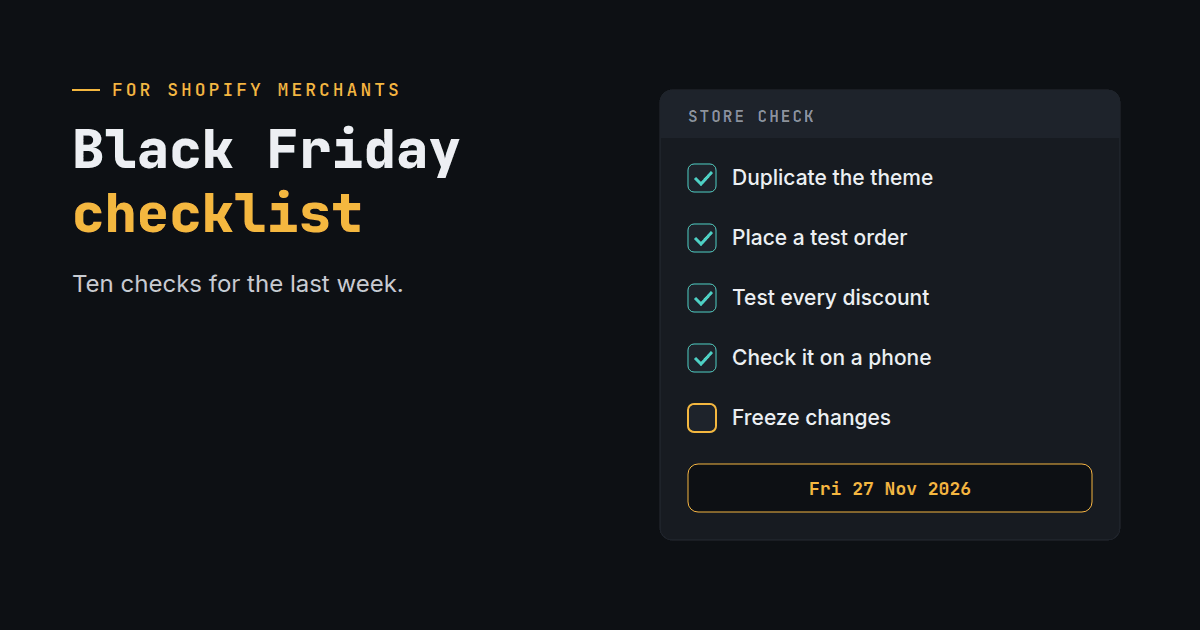
A Shopify Black Friday checklist is mostly about not breaking things. Black Friday 2026 is Friday 27 November, one week from today. At this point, new features and redesigns add risk and rarely add sales. What pays off is making sure the store you already have takes orders, applies the right prices and ships what it promises.
This checklist is for Shopify merchants and the people who help them. It has ten checks, ordered so you can work through them in the week you have left. Each one is something you can test yourself in the admin and on your own phone.
Shopify Black Friday checklist: the ten checks
1. Work in a copy of your theme
Never edit the live theme in the final week. In your Shopify admin, go to Online Store, open the actions menu on your theme and choose Duplicate. The copy is named "Copy Of" plus the theme name. Make changes there, preview them, and publish only when you are sure.
Shopify allows 20 themes in the admin. If you are at the limit, delete an old one first, and download it before you do, because deletion is permanent.
2. Place a test order, start to finish
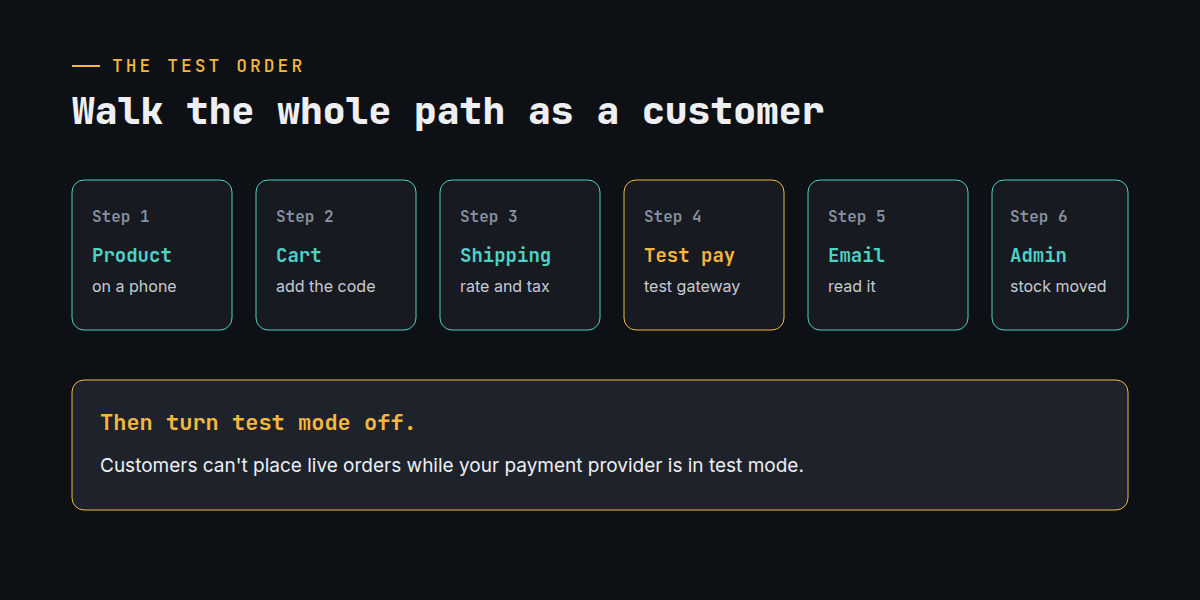
Shopify recommends placing a test order whenever you change payment settings, and it checks checkout, inventory, shipping, emails and taxes in one go. You can use Shopify's test payment gateway, or test mode if you use Shopify Payments. Test orders aren't charged and don't appear in payouts or reports.
Be careful with one thing: customers can't place live orders while your payment provider is in test mode. Turn it off straight after.
3. Test every discount code in a real cart
Don't trust that a code works because it saved. Add the products it applies to, enter the code, and read the total. Then try the cases that go wrong:
A code on a product that is already on sale.
Two codes in one cart.
A cart under the minimum spend.
A shipping rate that should become free.
Check the start and end time of each discount too. A promotion that ends at midnight in the wrong time zone costs real money.
4. Check stock on the products you will push
Look at inventory for your Black Friday products. If something can sell out, decide now what the page should say. If you sell more than you can ship, you lose customers' trust faster than a missed sale does.
5. Look at your store on a phone
Open the home page, a collection, a product and the cart on a real phone over mobile data, not Wi-Fi. Can you reach the buy button without zooming? Do banners cover the cart? Is anything slow to appear? Most of your visitors will do this on a phone, so this is the check that matters most.
6. Remove apps and scripts you don't need
Every app can add code to your storefront. Go through your installed apps and ask what each one does for this sale. Remove anything you stopped using. Don't uninstall apps in the last two days, though; do it now, then test again.
7. State your shipping dates clearly
Customers ask the same question every year: will it arrive in time? Put the last order date for delivery before Christmas where people will see it, and match it to what your carrier can actually do. Check that your shipping rates and zones still make sense for large orders.
8. Read your order emails
Look at the order confirmation and shipping confirmation emails from your test order. Check the sender name, links, discount lines and wording. These emails are the first thing a customer sees after paying.
9. Prepare support and returns
Write down the answers to the five questions you expect: shipping times, returns, sizing or fit, discount rules, order changes. Put the short versions on your site and make sure whoever answers email knows the sale rules. If your returns policy changes during the sale, say so on the page.
10. Freeze changes, and keep a way back
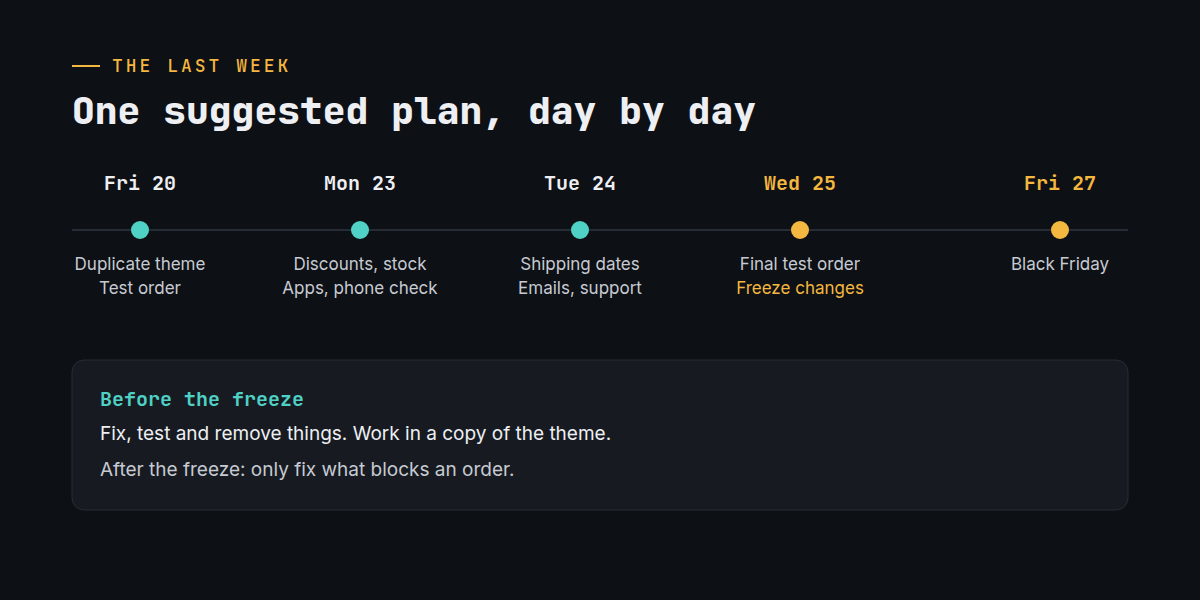
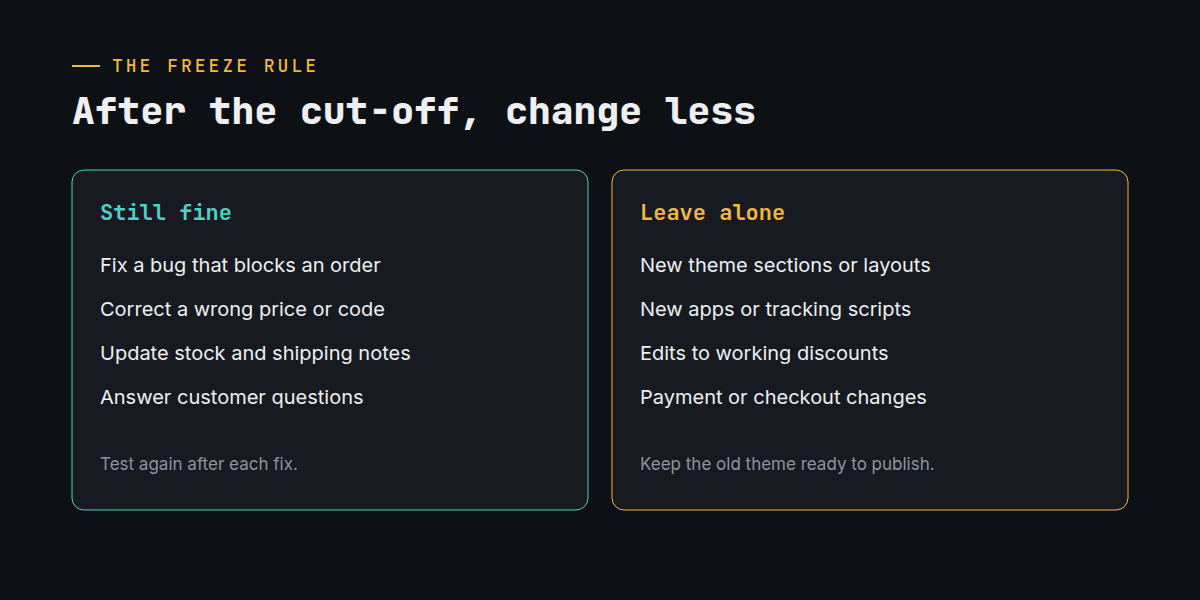
Pick a cut-off, such as the end of Wednesday 25 November, after which nobody changes the theme, apps or discounts without a reason. Keep your previous theme in the admin, so you can publish it again in minutes if a change goes wrong.
What if you find a problem you can't fix this week?
Decide whether it blocks an order or just looks untidy. Blockers, such as a broken cart or a discount that gives the wrong price, need fixing now. Cosmetic issues can wait until December. If you don't have a developer, get in touch and describe what you see; you'll hear back from the engineer, not a sales team.
For work beyond Black Friday, the services section lists Shopify theme and app development.
What to take from it
A week before Black Friday, protect what works instead of building new things.
Work in a duplicate theme and place a real test order.
Test every discount in a cart, including the awkward cases.
Check your store on a phone, and your emails as a customer sees them.
Freeze changes at a set time and keep the previous theme ready.
Sources
If you want a developer to review your store before the sale, the five-question quote quiz gives you a budget band in about a minute.