
Should your startup build a web app or a mobile app first? For most first products, the answer is a responsive web app: one codebase, no app store review, and updates that reach every user the moment you deploy. But "most" isn't "all". Some products only make sense on a phone, and building them for the browser first wastes months.
This guide gives you five questions that settle the web app vs mobile app decision for your product, and explains the middle options in between.
What you are actually choosing between
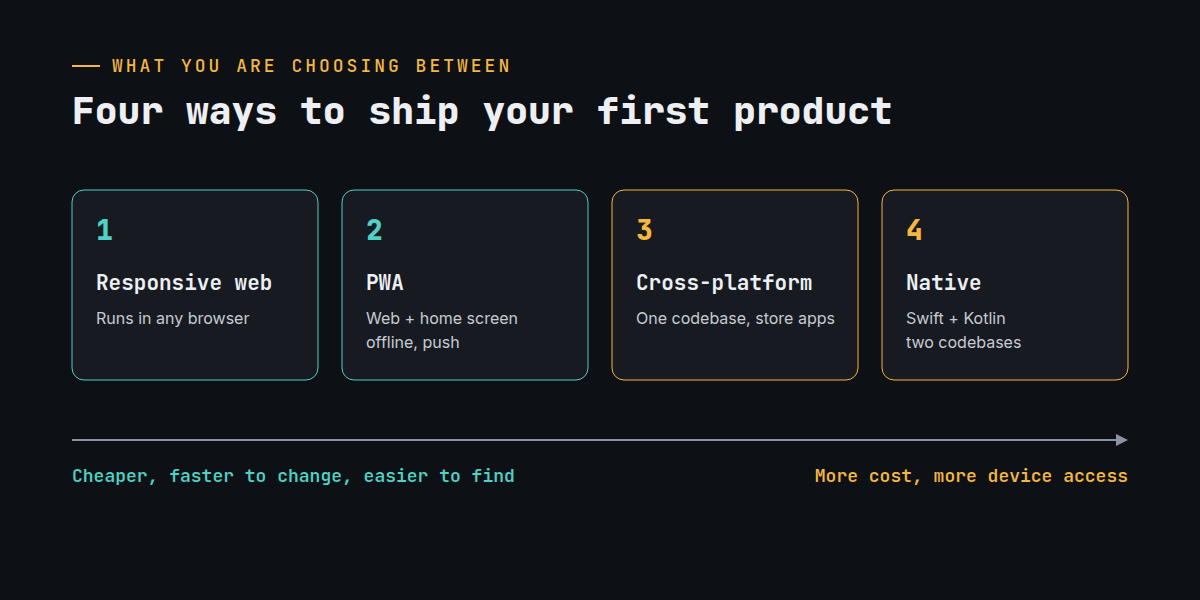
Responsive web app. Runs in the browser on phones, tablets and desktops. One codebase. Users open a link; there is nothing to install.
Progressive web app (PWA). A web app that can be added to the home screen, work offline for some tasks, and (on iPhone since iOS 16.4) send push notifications once it is added to the home screen.
Cross-platform mobile app. One codebase in a framework such as React Native or Flutter, shipped as real iOS and Android apps through the stores.
Native apps. Separate Swift (iOS) and Kotlin (Android) codebases. The most control and the most work.
Moving down that list generally means more cost, more release overhead, and more access to the phone's hardware.
Five questions that decide it
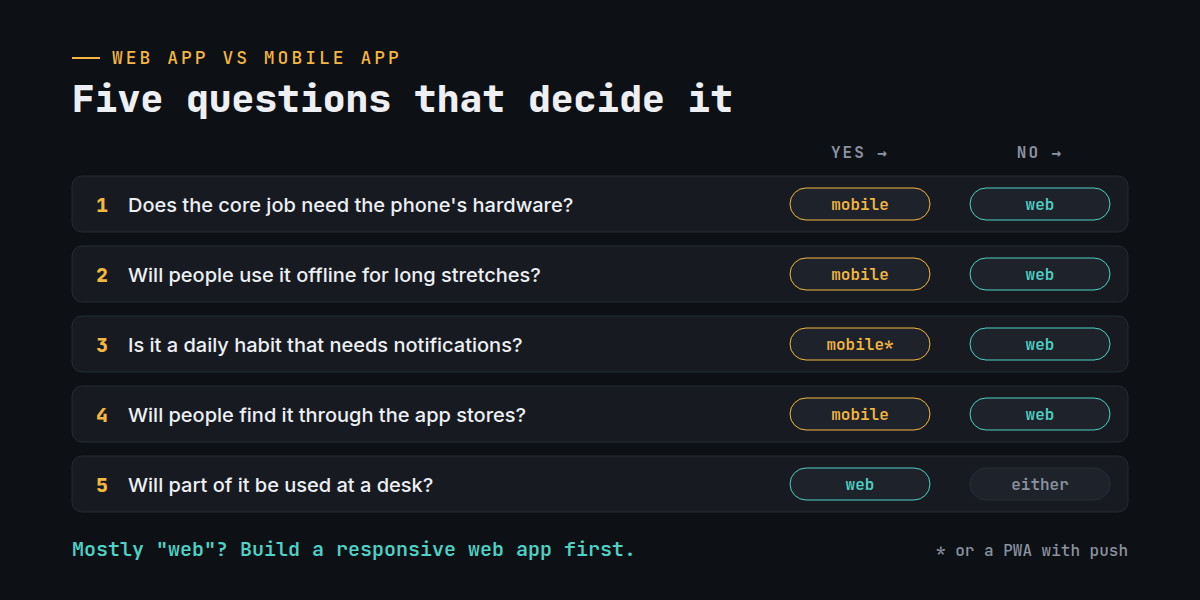
1. Does the core job need the phone's hardware?
Continuous background location, Bluetooth devices, heavy camera processing, health sensors and some kinds of background work are either limited or not available in a browser. If the one job your MVP exists for depends on these, go mobile.
Taking a photo, scanning a document, or reading location while the page is open all work in a modern mobile browser.
2. Will people use it where there is no signal?
Field workers, warehouses, travel and rural areas. A PWA can cache pages and queue some actions offline, but a mobile app handles long offline sessions and syncing more reliably.
3. Is it a daily habit or an occasional task?
Products people open several times a day (messaging, fitness tracking, habit apps) benefit from an icon on the home screen and reliable notifications. Products people use when a need comes up (booking, ordering, applying, managing an account) work well on the web, where a link in an email or a search result is all it takes.
4. How will people find it?
If users will find you through Google, links and social posts, the web is where they arrive. A web page is one tap from a search result; an app is a store visit and an install away. If your channel is the app stores themselves, a mobile app makes sense.
5. Will part of it be used at a desk?
Dashboards, admin tools, reporting and anything with a lot of typing are better on a large screen. Many products are both: a mobile experience for one side (customers, drivers) and a desktop screen for the other (staff, operators). In that case the desktop side is web almost every time.
If you answered "no" to the first two questions and "occasional" or "search" to the next two, build a responsive web app first.
The costs that come with app stores
Going native or cross-platform adds work beyond the code:
Accounts. Apple's developer program costs 99 USD a year. Google Play charges a one-time 25 USD registration fee.
Review. Every release goes through store review before users get it. Urgent fixes wait in the same queue.
Updates. Users update on their own schedule, so old versions stay in use and your back end has to support them.
Two platforms to test. Even with one cross-platform codebase, iOS and Android each need testing on real devices.
For the rest of the budget, see what an MVP really costs. None of this is a reason to avoid mobile when you need it. It is a reason not to choose mobile by default.
The middle path most founders should consider
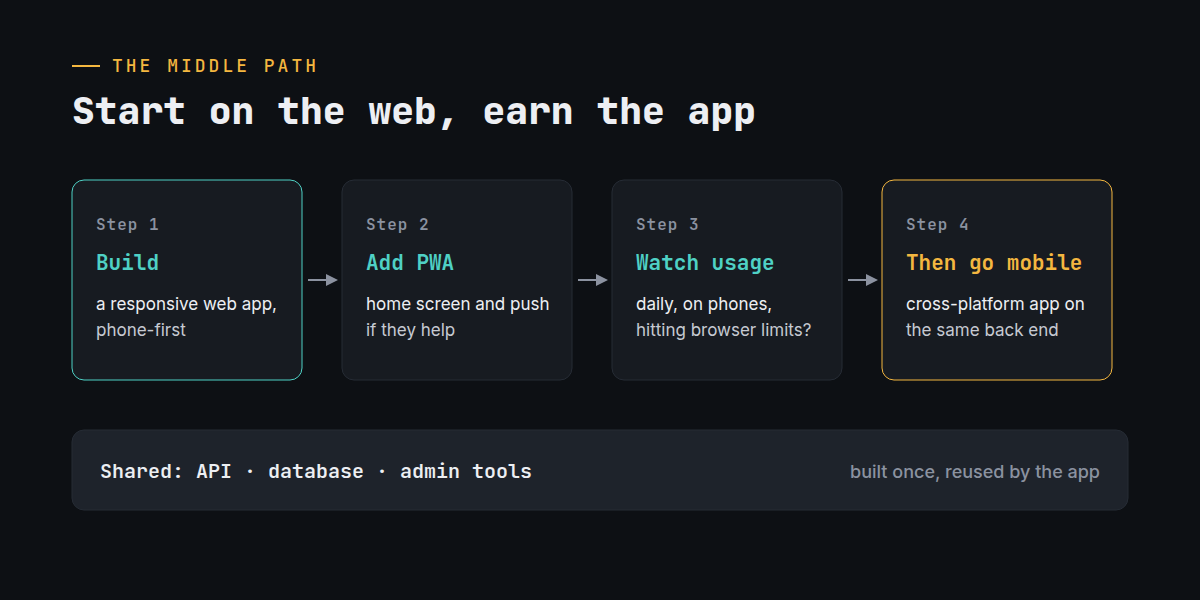
Build a responsive web app, designed for the phone first.
Make it a PWA if a home-screen icon or notifications would help.
Watch how people use it. If most usage is on phones, every day, and you keep hitting browser limits, that is your evidence for a mobile app.
Then build a cross-platform app against the same back end. The API, database and admin tools you already built carry over, so the mobile app costs less than it would have on day one.
This path delays the store overhead until you have proof that users want the product, which is what an MVP is for.
When to go mobile from day one
The core job needs hardware the browser can't reach.
Users work offline for long stretches.
The product only works as a daily habit with reliable notifications.
Your buyers expect an app in the store (some consumer and enterprise markets do).
If any of these is true, a cross-platform app is usually the most cost-effective start. Native code is worth it when you need the deepest platform features or the highest performance.
What to take from it
For most first products, a responsive web app is faster to build, cheaper to change and easier for users to find.
Go mobile first only when the core job needs the phone's hardware, offline use or daily notifications.
A PWA covers the middle ground, including push notifications on iPhone from iOS 16.4.
Build the back end so a mobile app can be added later without starting again.
Sources
Not sure which side your product falls on? The quote quiz takes about a minute, or get in touch and talk it through with the engineer who would build it.